

WordPress can publish almost anything, but it cannot take a message from a visitor. There is no contact form in the core software, so every site that wants one has to pick a form plugin. The choice looks easy, since there are dozens, and it is easy to get wrong: a form that looks fine but never delivers its emails, fills up with spam, or loads heavy scripts on every page is worse than no form at all.
This guide compares seven well-known form plugins using their WordPress.org listings (checked on 5 November 2026), explains the features that actually matter, and gives you a short test to run before you trust any form with real messages. We have not tested each plugin hands-on, so we describe what the listings say and where they overlap.
Do you need a form plugin at all?
If all you need is a way for people to reach you, a plain email link or a link to a social profile is enough, and it is one less plugin to keep updated (every plugin you add is more code to maintain; see our guide to essential plugins). A form is worth the effort when you want to collect structured information (a quote request, a booking request), keep messages away from spam-heavy public email addresses, or take payments or registrations.
The features that matter
- Reliable delivery. A form is only as good as the email it sends. By default, WordPress sends mail from your web server, and messages often land in spam. Most problems blamed on "the form plugin" are really email delivery problems, which an SMTP plugin fixes (see our guide to SMTP plugins).
- Spam protection. Look for a honeypot field, a CAPTCHA option (Cloudflare Turnstile, reCAPTCHA or similar), or Akismet support.
- Entry storage. Decide whether you want submissions saved inside WordPress (so you do not lose one if an email fails) or only emailed.
- Field types and logic. File uploads, dropdowns, checkboxes and conditional logic (showing a field only when an earlier answer calls for it).
- Payments and calculators, if you need them: some plugins include Stripe and PayPal in the free version or an add-on.
- Privacy and consent. A form collects personal data, so you need a privacy policy and, where the law requires it, a consent checkbox.
- Weight. A good plugin loads its scripts and styles only on pages that contain a form.
The numbers at a glance
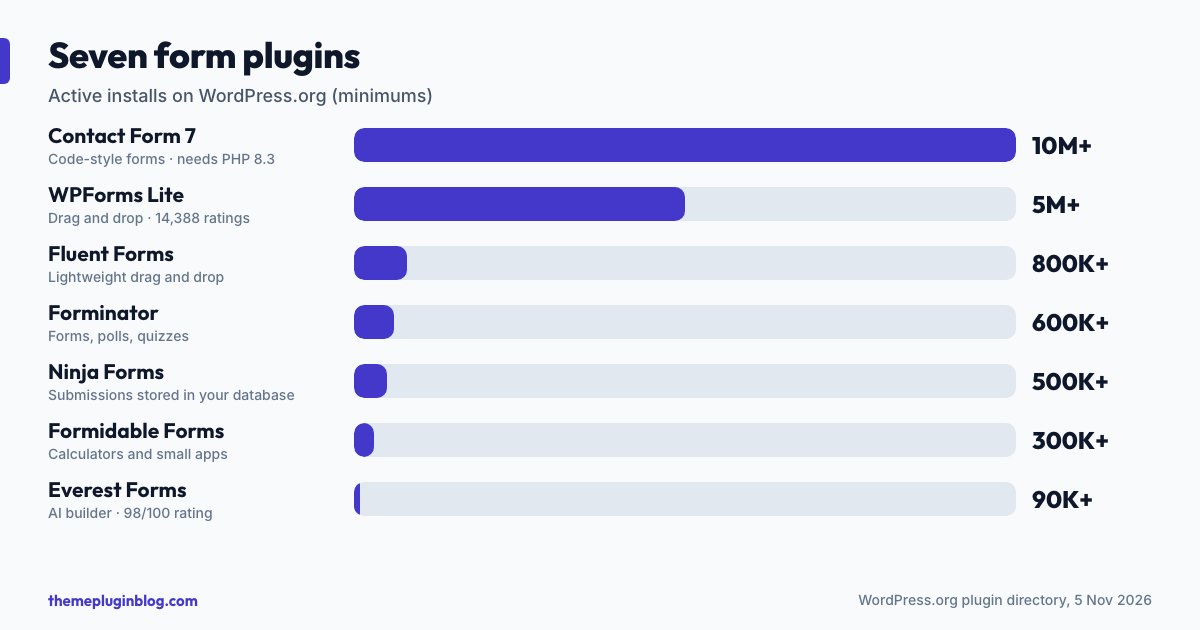
| Plugin | Active installs | Rating | Requires PHP | Last updated |
|---|---|---|---|---|
| Contact Form 7 | 10,000,000+ | 80/100 (2,186 ratings) | 8.3 | 29 October 2026 |
| WPForms (Lite) | 5,000,000+ | 96/100 (14,388 ratings) | 7.2 | 29 October 2026 |
| Fluent Forms | 800,000+ | 96/100 (808 ratings) | 7.4 | 2 November 2026 |
| Forminator | 600,000+ | 96/100 (2,146 ratings) | 7.4 | 2 November 2026 |
| Ninja Forms | 500,000+ | 88/100 (1,398 ratings) | 7.4 | 2 November 2026 |
| Formidable Forms | 300,000+ | 96/100 (1,388 ratings) | 7.0 | 16 October 2026 |
| Everest Forms | 90,000+ | 98/100 (375 ratings) | 7.2 | 15 October 2026 |
The plugins, one by one
Contact Form 7: the veteran
The most installed form plugin, with more than 10 million sites, Contact Form 7 describes itself as a practical tool for WordPress users who embrace free and open source software, built on a modular architecture. It is a "bring your own style" plugin: you write forms in a simple markup language rather than dragging fields around, which suits people who like control and dislike extras. Two practical points. Its rating (80 out of 100) is lower than most others here, so skim recent reviews. And its current release lists PHP 8.3 as a requirement on WordPress.org, so a host running an older PHP will not be offered the update: check your PHP version before relying on it (WordPress itself now recommends PHP 8.3 or greater).
WPForms Lite: the beginner-friendly one
With more than 5 million installs and 14,388 ratings, WPForms is the best-reviewed of the high-volume options. Its listing calls it an AI-assisted drag-and-drop builder for contact, feedback, subscription and payment forms (with Stripe, Square and PayPal mentioned). As with several others on this list, the Lite version is the free entry point to a paid product, so read which features are in the free tier before building around one.
Fluent Forms: lightweight and feature-rich
Fluent Forms describes itself as an advanced but lightweight drag-and-drop builder for contact forms, surveys, quizzes and conversational forms, suitable for beginners and advanced users, with a user guide and community. With 800,000+ installs and a 96 out of 100 rating from 808 ratings it is a smaller but well-regarded choice.
Forminator: lots of form types in one free plugin
Forminator's listing covers contact, order, payment and registration forms, polls with real-time results, "no wrong answer" quizzes and service estimators, with PayPal and Stripe payment options. It is a good fit if you want forms, polls and quizzes from a single plugin.
Ninja Forms: submissions stay in your database
Ninja Forms is a free form builder with a drag-and-drop editor (and an AI builder that drafts a form from a description). Its listing stresses that every submission is stored in your own WordPress database, with no limit on forms or submissions. It covers contact forms, calculators, quizzes, surveys, applications and bookings. Its rating (88 out of 100) is mid-pack.
Formidable Forms: when forms become small applications
Formidable describes itself as a form and quiz maker that also handles calculators, surveys, payment and registration forms, and "complete web applications". That makes it a heavier tool than a simple contact form needs, but a flexible one if your forms need to feed other pages or calculations.
Everest Forms: a newer option with a high rating
Everest Forms advertises an AI form builder, drag-and-drop editing, payment processing, quizzes and surveys, with 40+ field types and unlimited submissions. It has fewer installs (90,000+) but a 98 out of 100 rating across 375 ratings.
How to choose
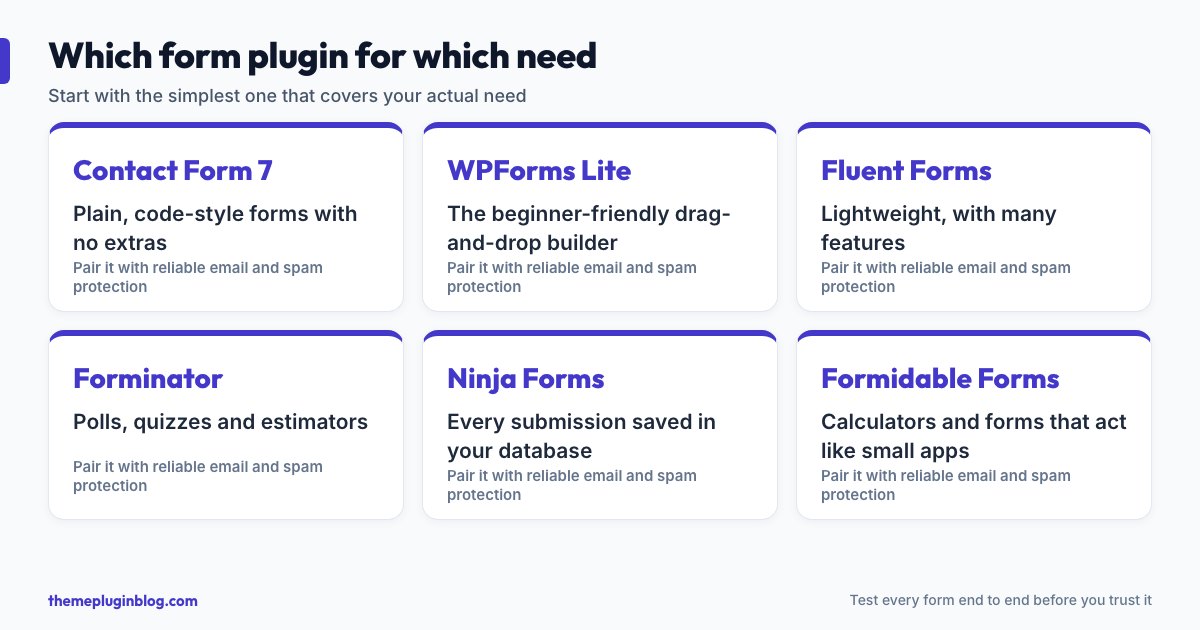
- Just a contact form: Contact Form 7, WPForms Lite or Fluent Forms.
- You want drag-and-drop and a gentle learning curve: WPForms Lite, Fluent Forms or Forminator.
- Polls, quizzes or estimators: Forminator, Fluent Forms or Ninja Forms.
- Calculators or forms that behave like small apps: Formidable Forms or Ninja Forms.
- Payments: check the exact payment methods and fees in the free tier of any plugin before you plan around them.
Test any form before you trust it
- Send yourself a message from a private browser window, and confirm it arrives in your inbox, not in spam.
- Send one to a second address, ideally on a different provider (for example one personal and one business address).
- Check where entries are stored. If emails ever fail, you want the submission saved in WordPress.
- Try to submit it blank and with a wrong email address, to see the error messages.
- Test on a phone, including tapping fields and the keyboard.
- Turn on spam protection and send a message again to confirm it still works.
- Add a short privacy notice or consent checkbox, and link to your privacy policy.
The bottom line
All seven plugins can send a contact message; the differences are in what comes after. Pick the plainest one that does what you need, pair it with reliable email delivery and some spam protection, and test it end to end. Too many sites lose real messages to a form that "looked fine". A five-minute test avoids that.
Sources
Figures are from the WordPress.org plugin API on 5 November 2026 and change over time; descriptions are paraphrased from each plugin's own listing. PHP guidance is from the WordPress requirements page, last modified 7 May 2026.